UX / UI Case Study
Vendor Flow
Reducing Setup Stress for
Convention Vendors
Type
UI/UX Design
Tools
Figma
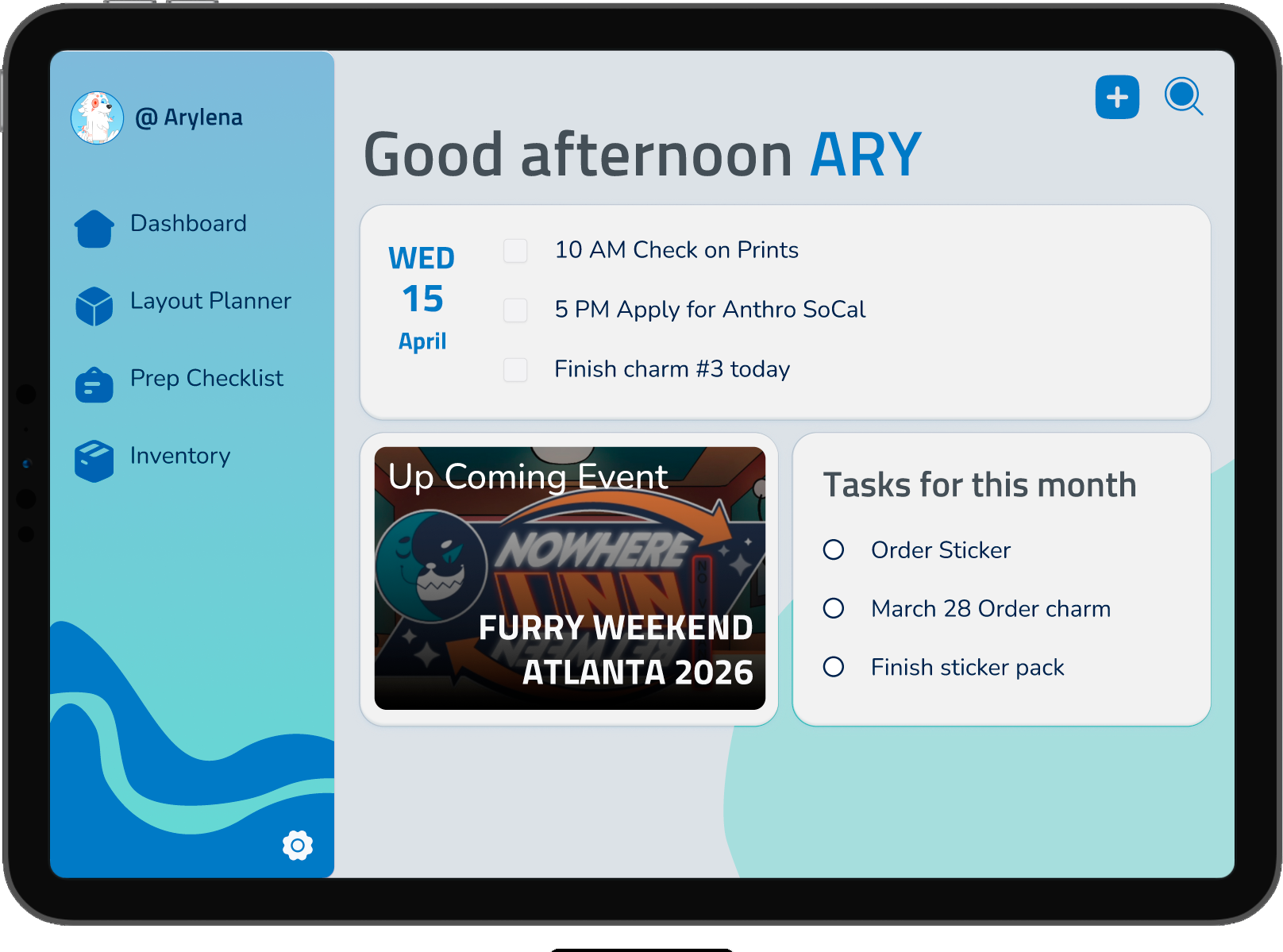
Vendor Flow dashboard mockup on a tablet device
01 — Context
Background
Independent artists
(like myself) are turning to conventions to survive.
Independent artist character drawing on a tablet
The shift

Many independent artists are facing increasing challenges due to shifting social media algorithms, a difficult economy, and reduced online visibility.

As a result, many turn to vending at conventions as one of the most direct ways to showcase their work and generate income.

02 — Pain Point
Setup is the stress peak
After hours of travel, vendors arrive to:
Wrong load-in instructions
Smaller space than promised
Long load-in lines
Physical strain
Solo setup
Getting my stuff from my car to my table… it's the most time consuming, stressful, and exhausting part of the job.
— Ash, Heads & Tails Studios

This isn't disorganization. It's systemic friction.

03 — Data Snapshot
The reality

Vendors plan carefully. Reality keeps breaking their plans.

67%
Experienced space mismatch
78%
Have been overstocked
100%
Believe layout affects sales

Time constraints = #1 stressor

04 — Users
Who they are
Convention vendors are:
  • Small business owners
  • Inventory managers
  • Display designers
  • Logistics planners
They optimize for
Predictability.  Control.
Efficiency.  Sustainability.
THEIR GOAL
"Slip my headphones on and just start setting up." — Ash, Heads & Tails Studios
05 — Design Challenge
How Might We…
Help convention vendors stay in control of their setup by reducing uncertainty and adapting to changing spaces and logistics?
06 — Ideate · Diverge
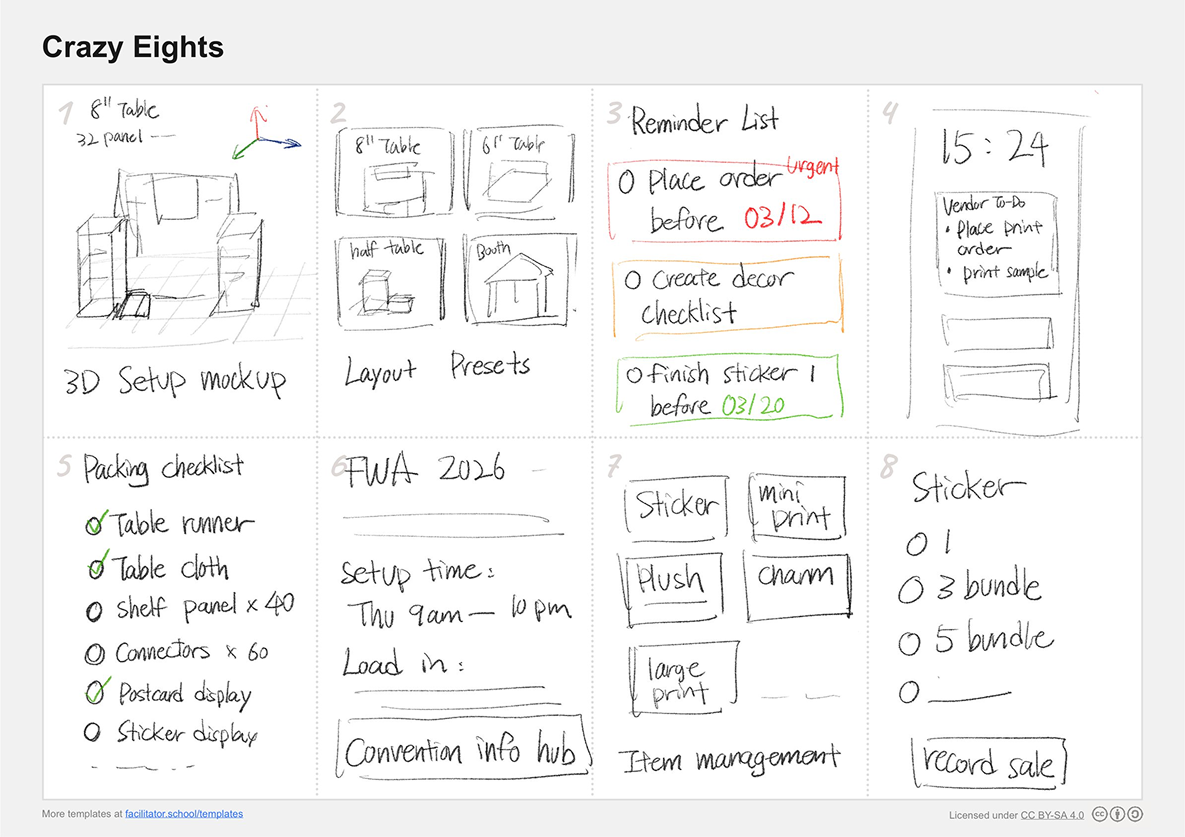
Crazy Eights
Crazy Eights ideation sketches — eight hand-drawn concepts for Vendor Flow
Original ideation sketches — hand-drawn
06 — Ideate · Concept
Convention Vendor Logistics Planner
CONCEPT

A platform that helps vendors organize event information, prepare their booth setup, and manage inventory in one coordinated system.

ADDRESSES

Unclear load-in instructions  ·  Unexpected booth space changes  ·  Chaotic setup processes

Logistics Dashboard
Event info in one place
Booth Planner
Visual layout tool
Smart Checklists
Adapt to each event
Inventory Tracking
Live stock visibility
07 — Prototype
Explore the prototype

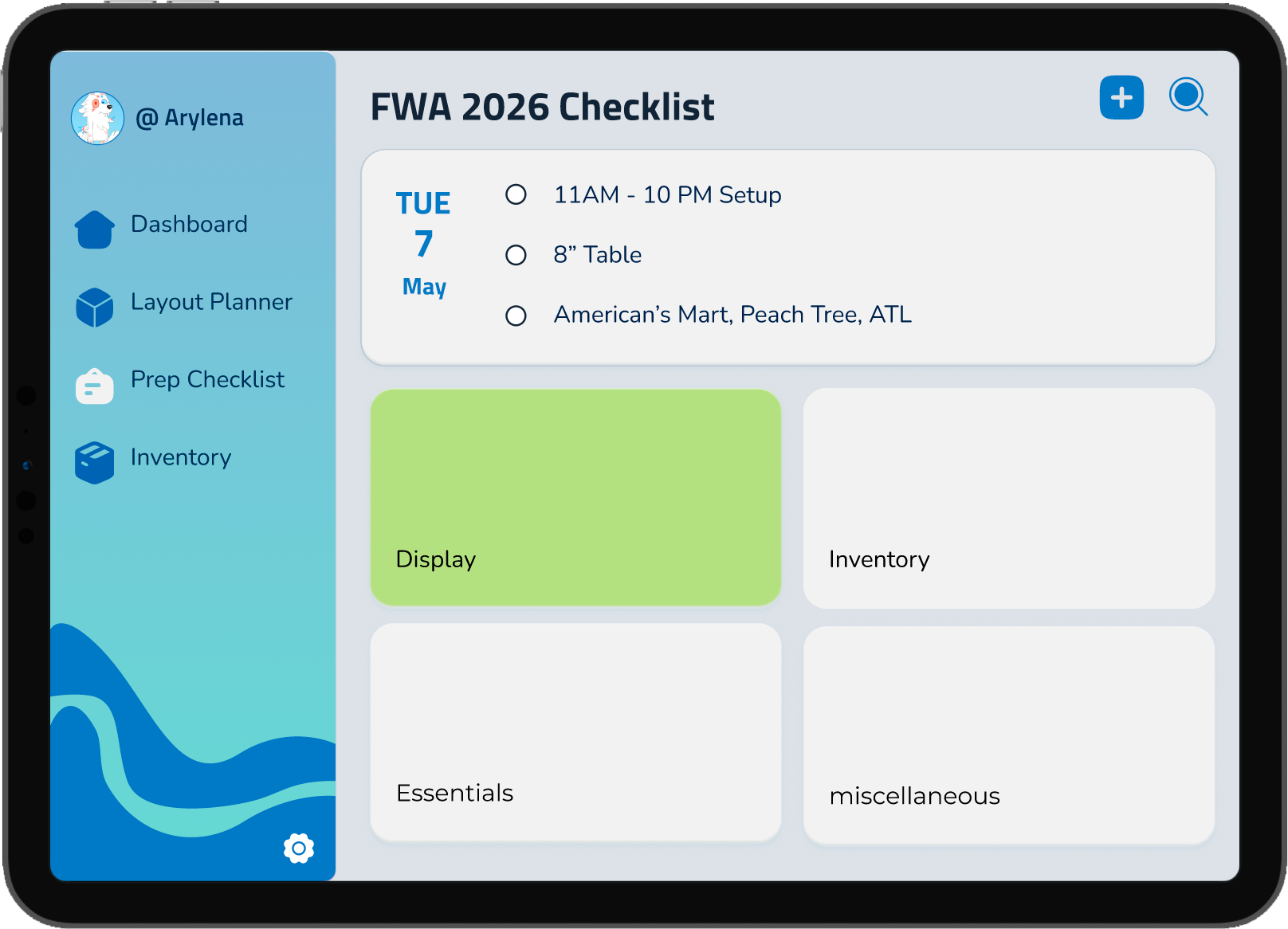
Walk through the full Vendor Flow experience: Dashboard, Layout Planner, Packing Checklist, and Inventory + POS.
Vendor Flow dashboard prototype screen
Dashboard
Vendor Flow layout planner prototype screen
Layout Planner
Vendor Flow packing checklist prototype screen
Packing Checklist
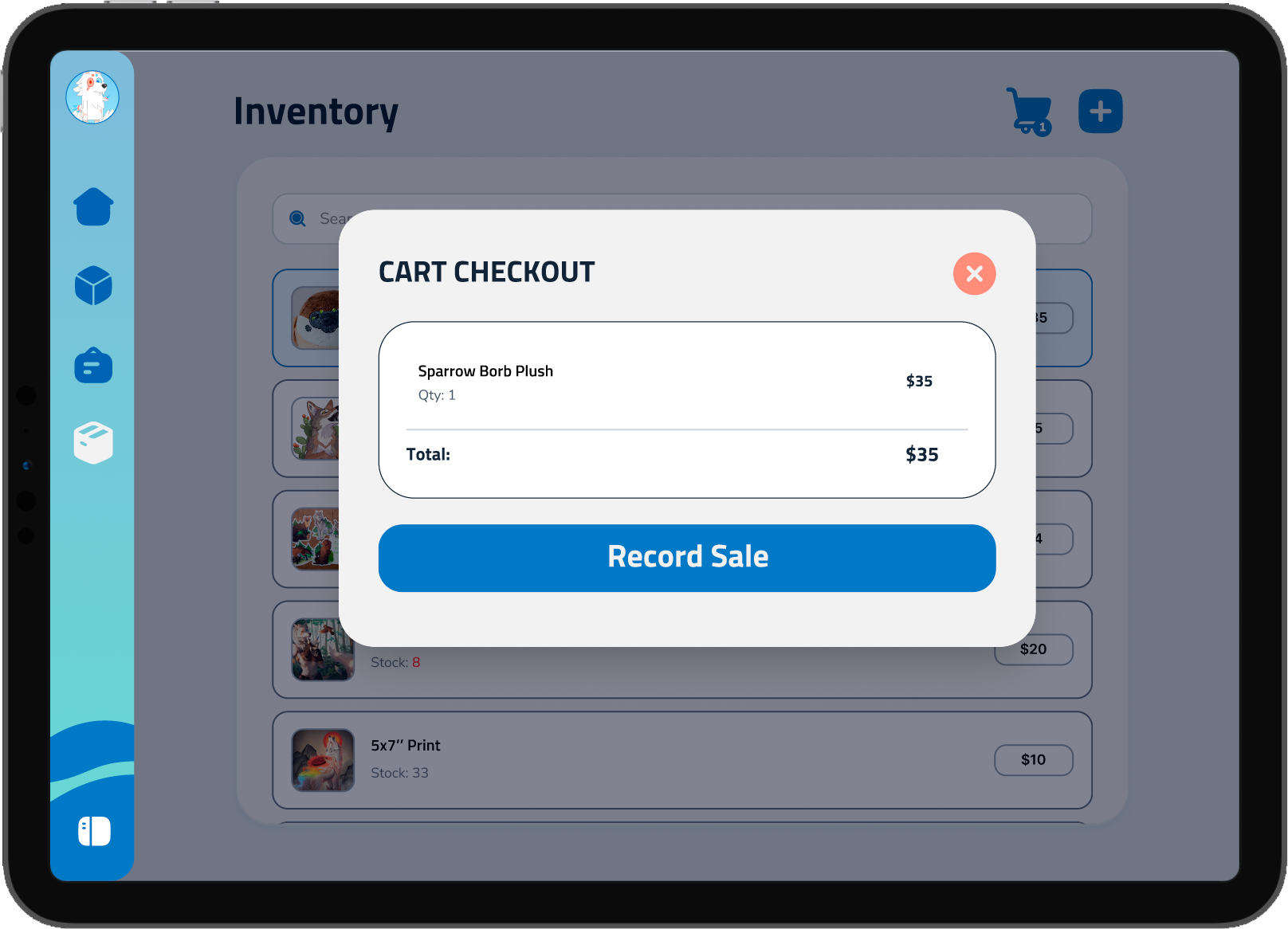
Vendor Flow inventory and POS prototype screen
Inventory + POS
View interactive prototype
08 — Solution
Solution 1  ·  Introducing Vendor Flow
One coordinated system

A tablet app that helps vendors organize event information, prepare their booth setup, and manage inventory in one coordinated system.

Event info
To-do Checklist
Vendor Flow dashboard mockup on a tablet device
Dashboard — Vendor home view
08 — Solution
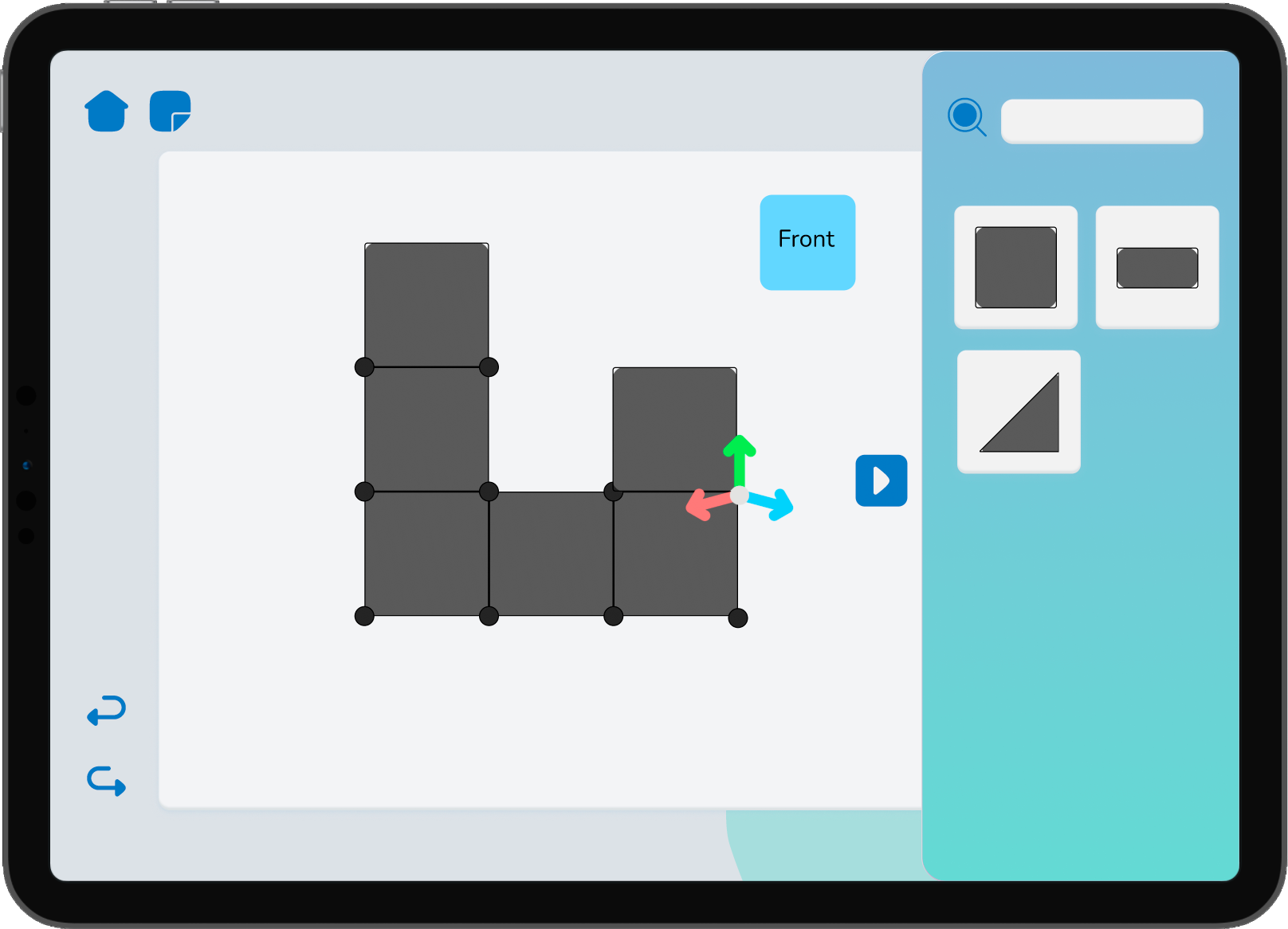
Solution 2  ·  3D Booth Layout Planner

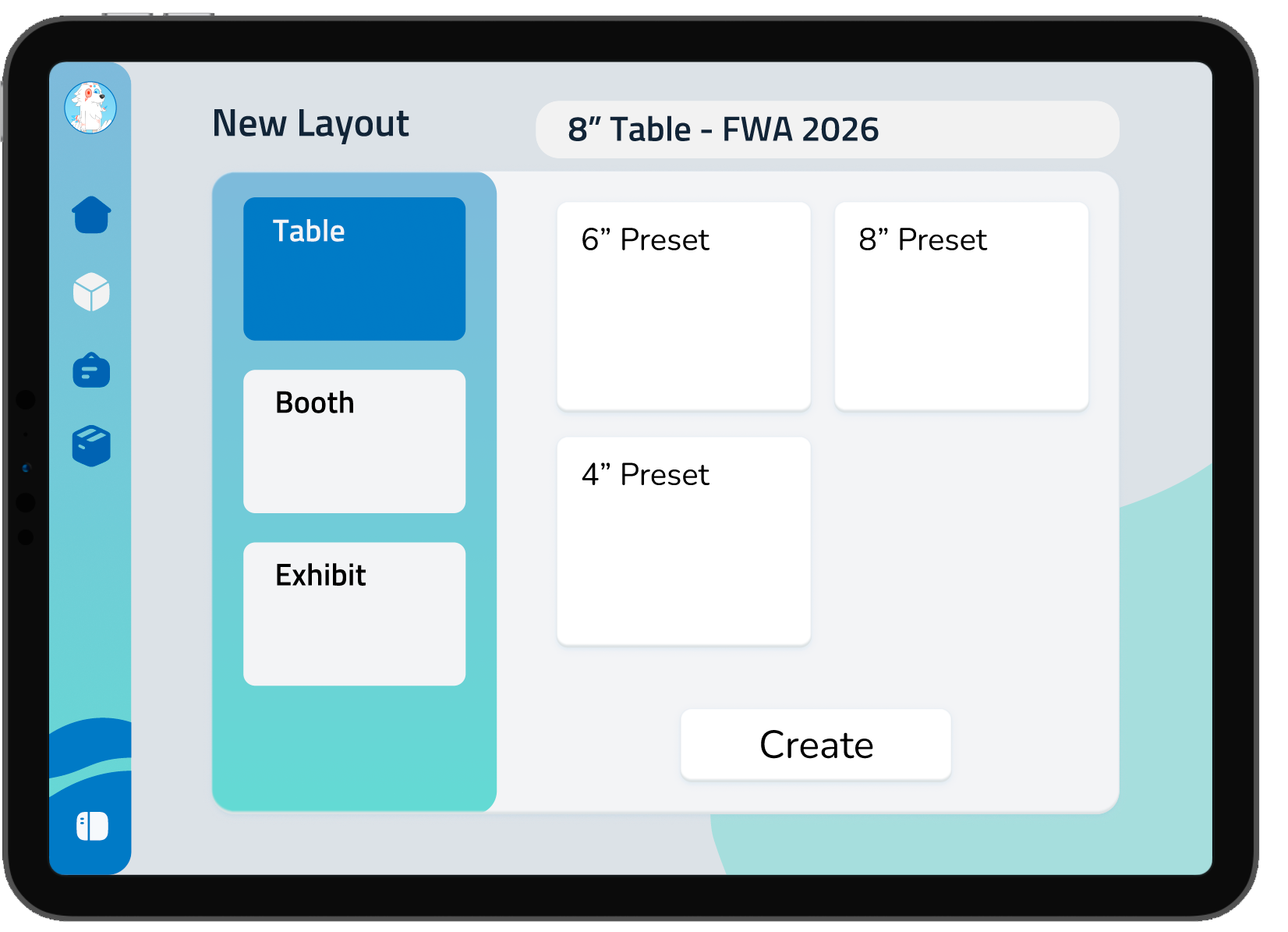
A 3D layout system vendors can customize, save, and reuse. Component counts auto-track in the background, and flow into Solution 3.
1
Pick a preset
Vendor Flow layout planner — pick a table or booth preset

Start from common table sizes (4″ / 6″ / 8″) or pick booth / exhibit formats.

2
Build in 3D
Vendor Flow layout planner — build a booth layout in 3D

Drag cube and ramp components onto the grid. Rotate to see every angle.
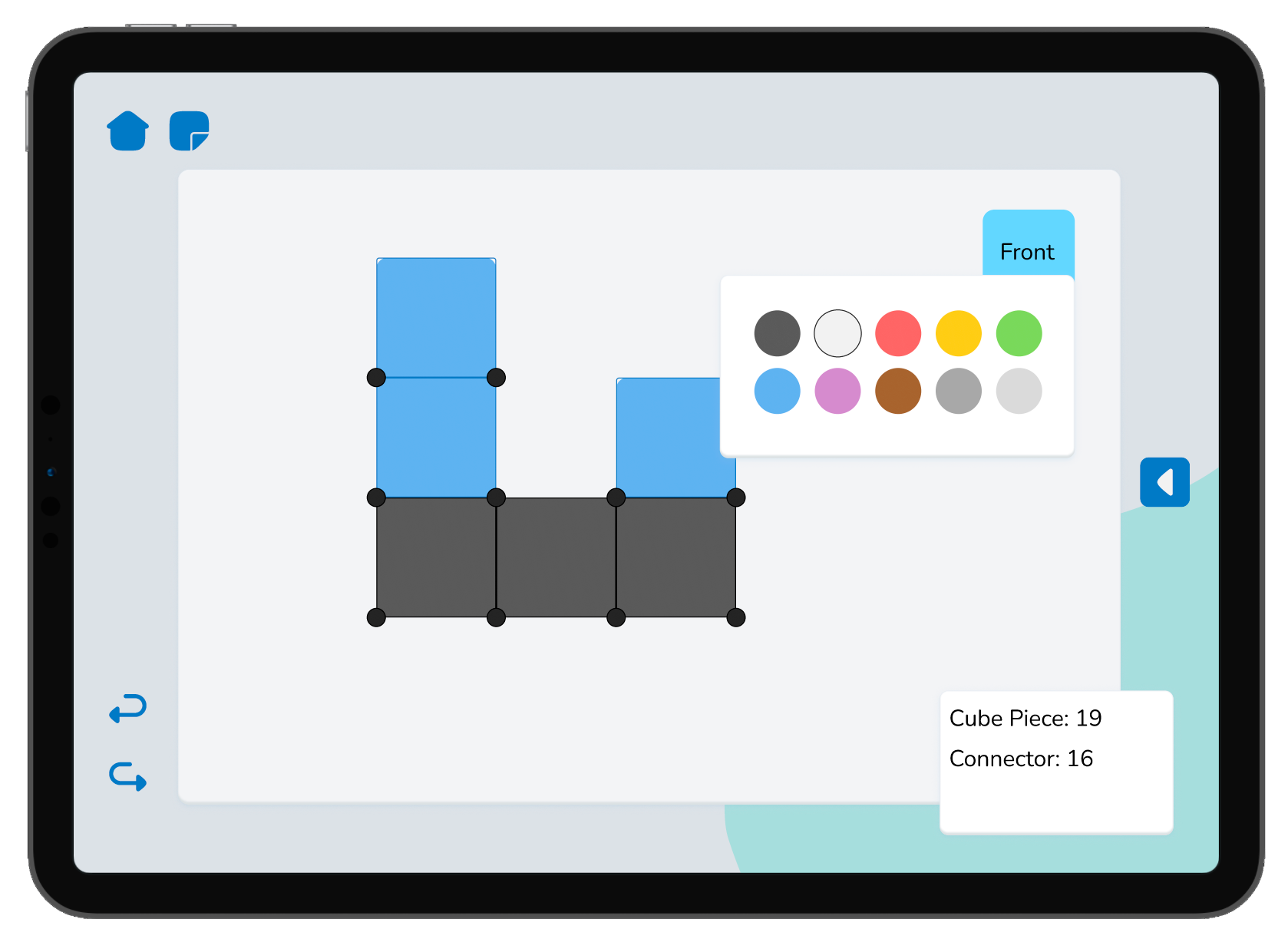
3
Save + track
Vendor Flow layout planner — color grids and track cube and connector counts

Color the grids, save it, and the system counts every cube + connector used.

08 — Solution
Solution 3  ·  Packing Checklist

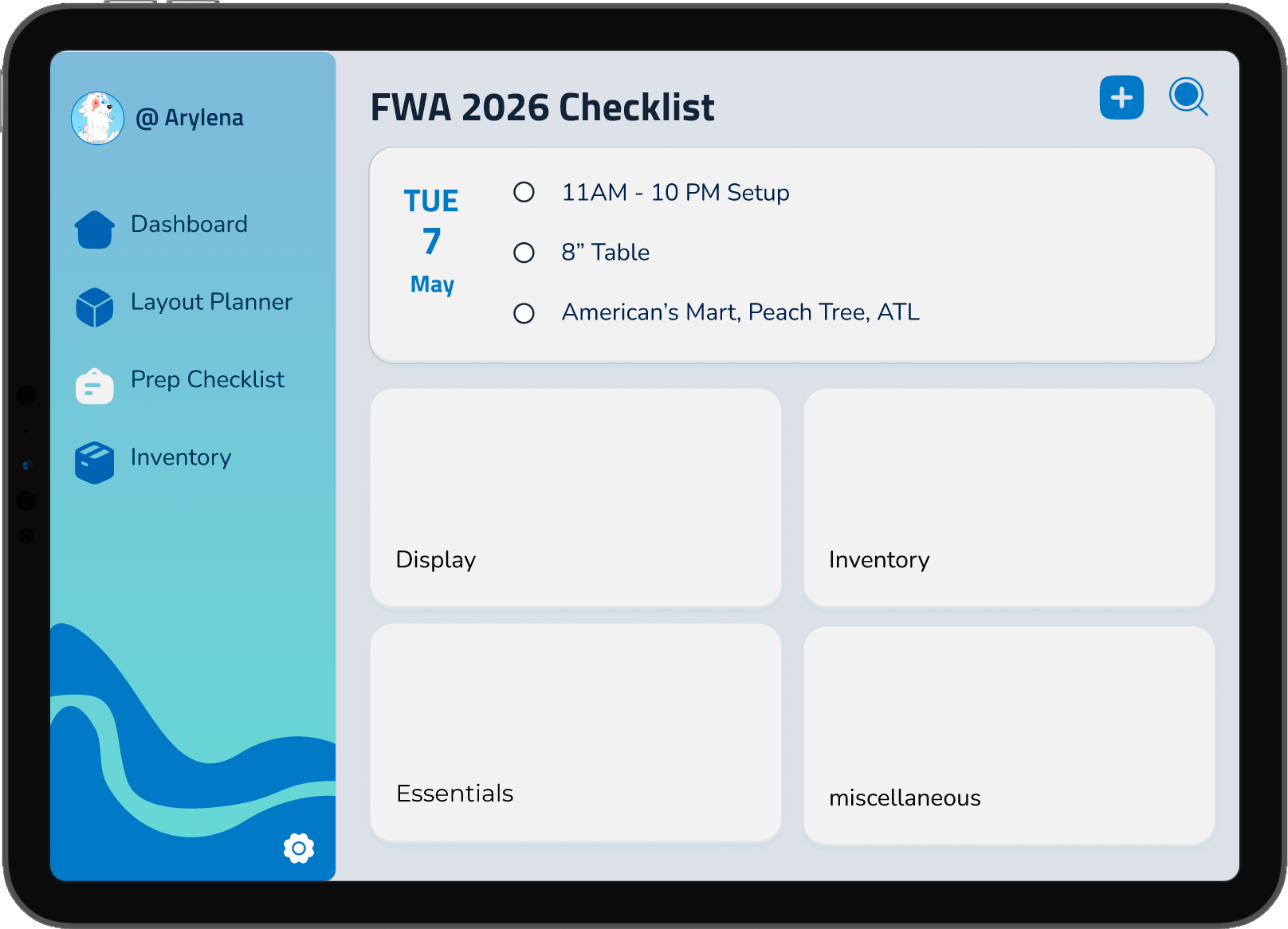
A packing checklist split into four focused sections: Display, Inventory, Essentials, and miscellaneous — to keep cognitive load low. Each section pulls smart imports from the rest of Vendor Flow.
1
Four focused sections
Vendor Flow packing checklist — four focused sections overview

Display · Inventory · Essentials · misc. Divided to avoid overwhelm at setup time.
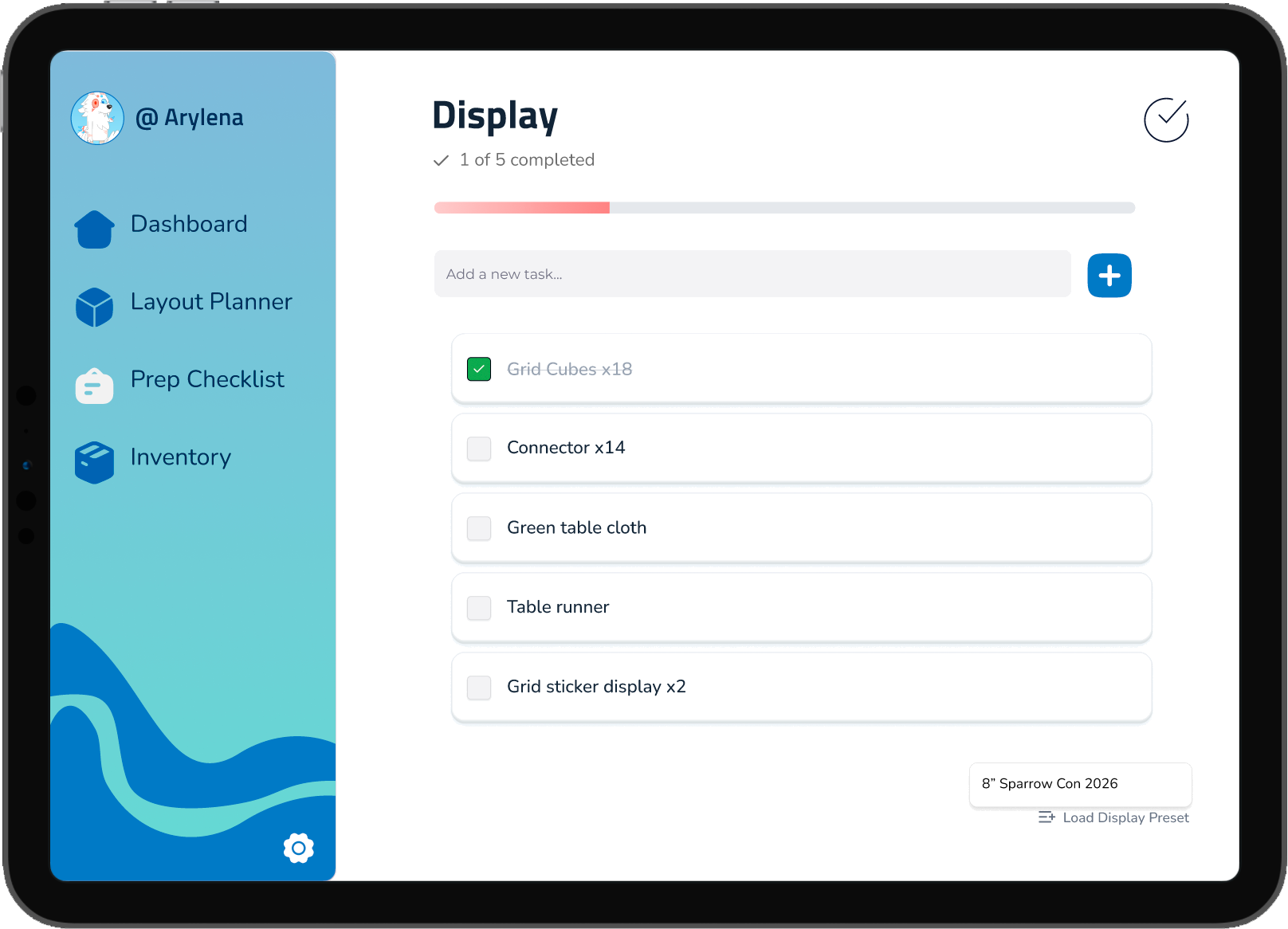
2
Smart imports
Vendor Flow packing checklist — display section with smart imports from layout planner

"Load Display Preset" pulls cube + connector counts straight from Solution 2's layout.

3
Visual cue
Vendor Flow packing checklist — completed display section highlighted in green

Completed sections light up green on the dashboard, closing the loop, no second-guessing.

08 — Solution
Solution 4  ·  Inventory + POS

Track stock, edit items on the fly, and hand off payment to Square. The booth becomes a sellable system, not just a display.
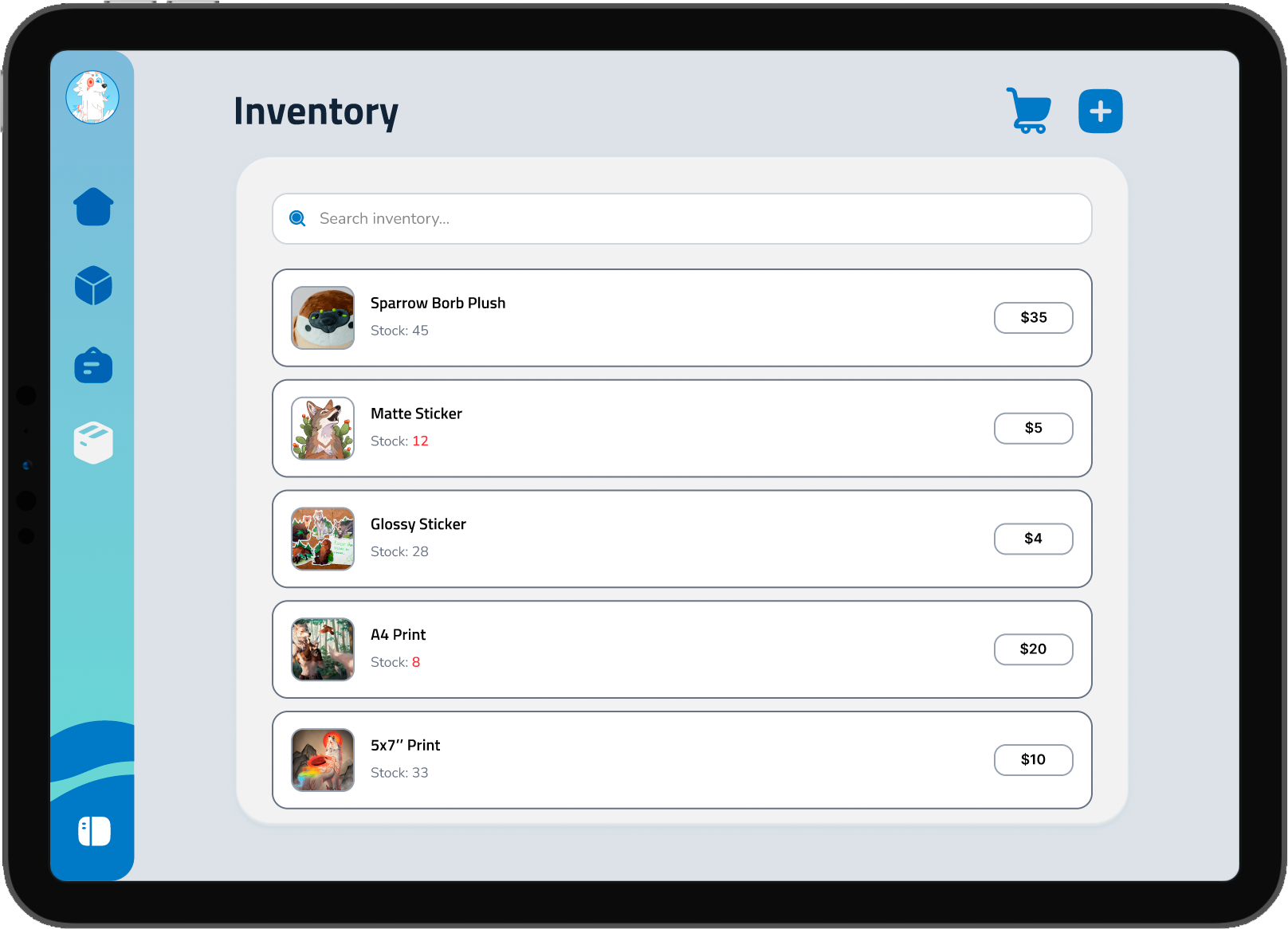
1
Track
Vendor Flow inventory — track stock, price, and low-stock alerts

Item name, stock, price at a glance. Low-stock counts flag in red.
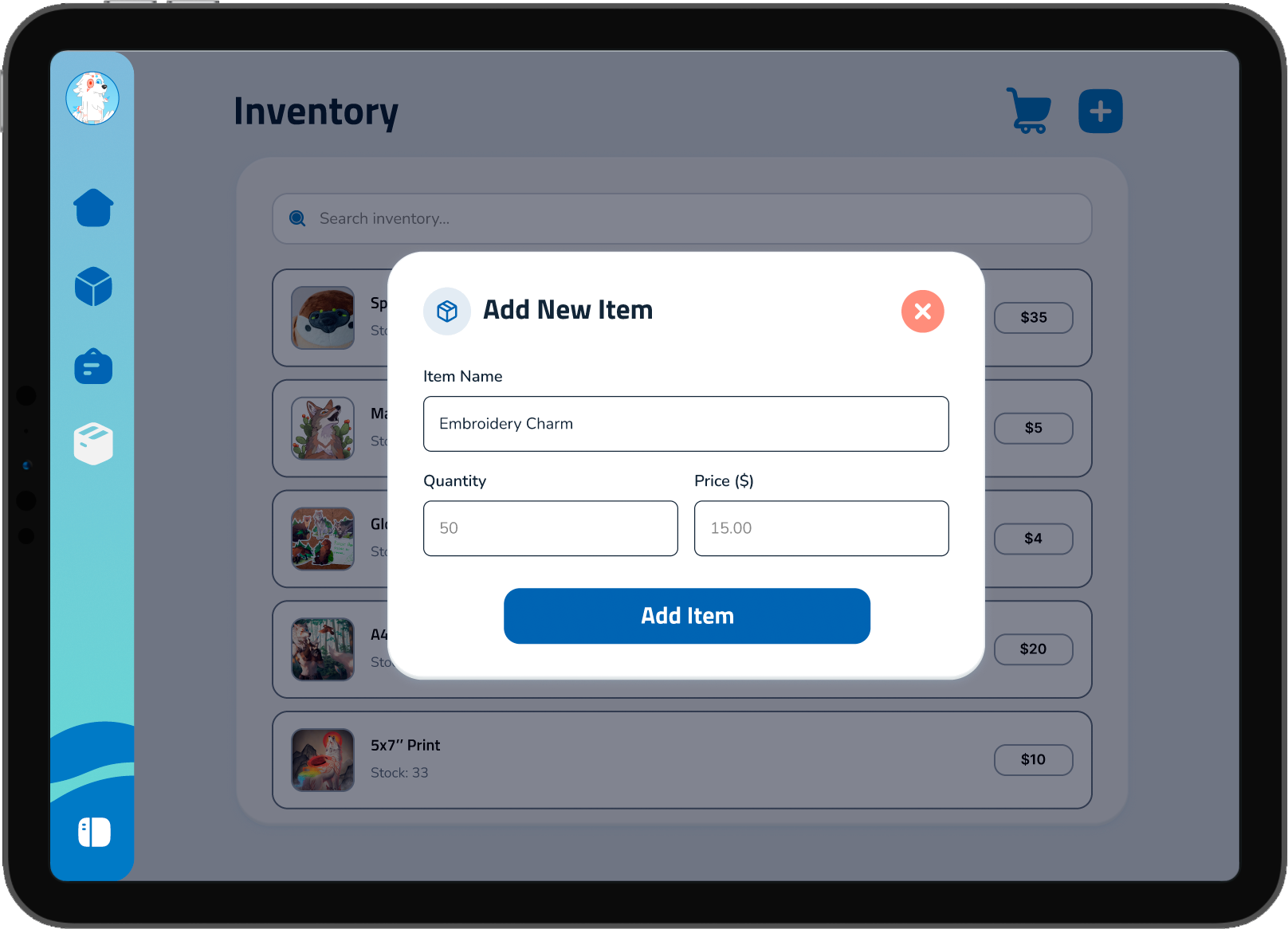
2
Add
Vendor Flow inventory — add new items mid-event

Quick-add new items mid-event with name, quantity, and price.

3
Sell
Vendor Flow inventory — cart checkout and record sale

Tap items into a cart, review the total, record the sale.
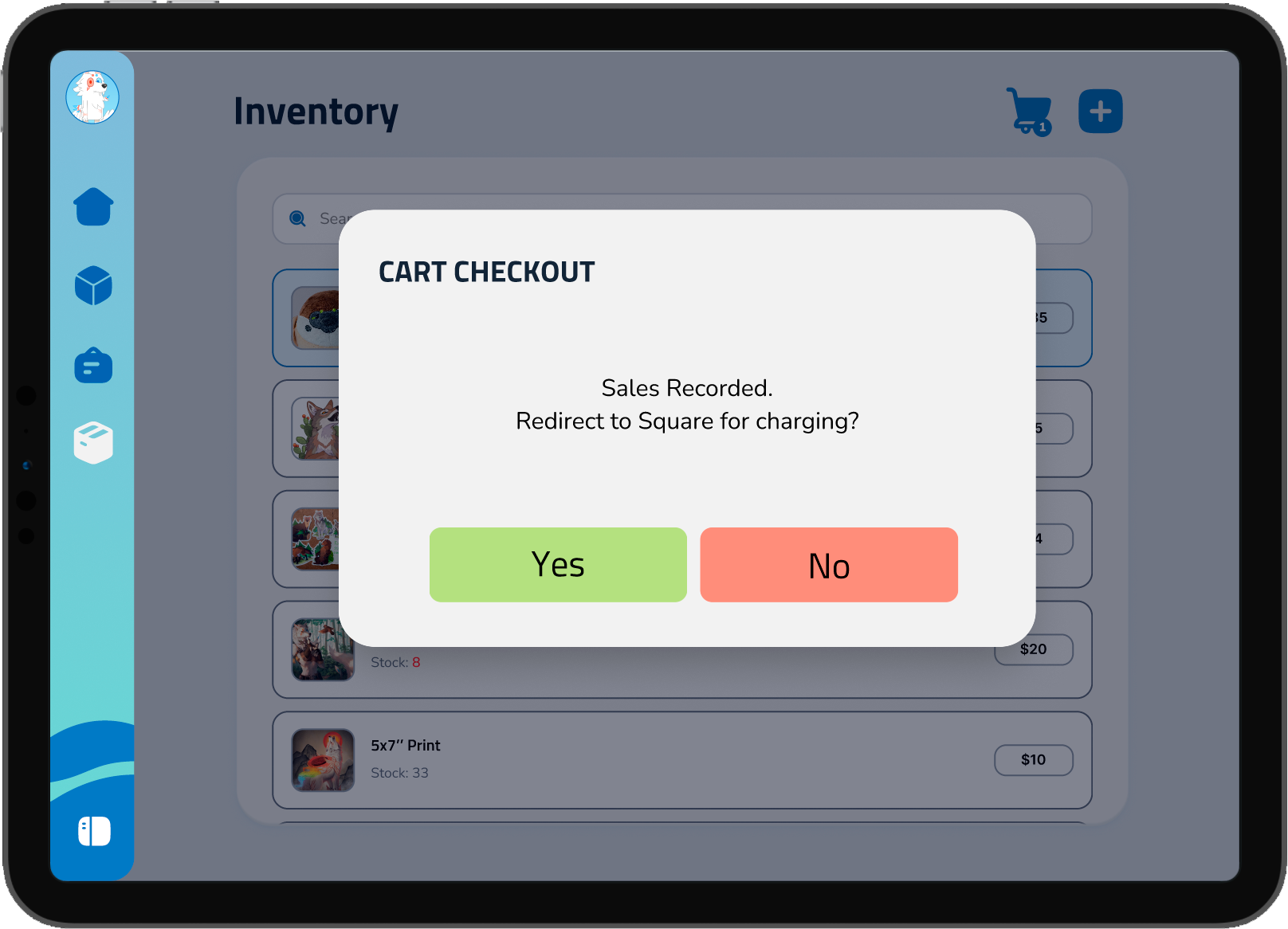
4
Charge
Vendor Flow inventory — redirect to Square for payment

Hand off to Square for the actual transaction, no payment risk to own.

09 — Impact
Before & After
Before
A typical setup morning
  • 3+ hours of trial-and-error unpacking
  • Items forgotten in the car, found mid-setup
  • Layout doesn't fit the assigned table size
  • Stock counted by hand, restocked by guess
"Setup is the part I dread most."
After
Setup with Vendor Flow
  • Layout pre-planned for the assigned table
  • Packing checklist auto-built from the layout
  • Stock tracked live as items sell
  • Time + energy reserved for the actual event
"Headphones on. Start setting up."
10 — Reflection
What I learned
Flexibility is essential to vendor logistics.

Vendors plan extensively, but spaces and timelines shift. Tools have to flex with them, not the other way around.

Personal Reflection
From my personal experience vending at Furry Weekend Atlanta, everything that would go wrong went wrong even when I planned for everything — vendor needed a tool that can help them navigate moments of adapt to changing circumstances.
11 — Call to Action
What can you do?
Check out my UI/UX Designs
https://arytian.design/
Check out my art business
https://www.arytian.art/
Thank you  —  Ary Tian